
sudo service NetworkManager restart
Note: This is specifically for the network icon in the system tray and is different from the network-manager service which controls the whole Linux network manager:
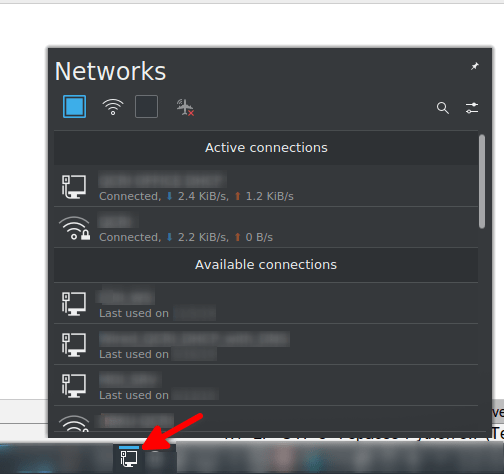
Tested on Ubuntu 19.10 with KDE Plasma 5.16.5
sudo service NetworkManager restart
Note: This is specifically for the network icon in the system tray and is different from the network-manager service which controls the whole Linux network manager:
Tested on Ubuntu 19.10 with KDE Plasma 5.16.5
From remote server to local one:
rsync -avzhe ssh remote_user@REMOTE_IP:/remote_folder_or_file /local_destination_folder_or_file
From local server to remote one:
rsync -avzhe ssh local_folder_or_file remote_user@REMOTE_IP:/remote_destination_folder_or_file
That’s it, Enjoy!
Sources:
https://www.tecmint.com/rsync-local-remote-file-synchronization-commands/
Synergy software, which shares your keyboard and mouse to multiple computers through the network, is no longer available in the Ubuntu 19.04 repos, so the only remaining option is to build it from source:
sudo apt install qtcreator qtbase5-dev cmake make g++ xorg-dev libssl-dev libx11-dev libsodium-dev libgl1-mesa-glx libegl1-mesa libcurl4-openssl-dev libavahi-compat-libdnssd-dev qtdeclarative5-dev libqt5svg5-dev libsystemd-dev git build-essential
git clone https://github.com/symless/synergy-core.git
cd synergy
mkdir build
cd build
cmake ..
make
sudo make install
That’s it, Enjoy!
Note: After starting Synergy, you don’t have to enter the serial to get basic functionality, just cancel and you are good to go.
Source: https://github.com/symless/synergy-core/wiki/Compiling
Just create/edit the file /etc/sddm.conf and add the following:
[X11]
 EnableHiDPI=true
 ServerArguments=-nolisten tcp -dpi 192
Reboot, and you’re good to go, Enjoy!
Sources: https://www.reddit.com/r/kde/comments/amybg5/login_screen_on_hidpi_4k_screen/
Gnome disabled OOTB support for managing Desktop icons, and is now handled via a gnome shell extension that is missing many features and not quite usable.
The best solution I found so far was to install nemo (file manager on Linux Mint) and make it the default instead of Gnome Files (formerly nautilus) and let it handle the desktop icons as well.
That’s it, Enjoy!
Source: https://www.linuxuprising.com/2018/07/how-to-replace-nautilus-with-nemo-file.html


 Just Some Techie Notes!