Disable a Laptop’s Touchpad in Ubuntu Karmic (and later as I well I guess)

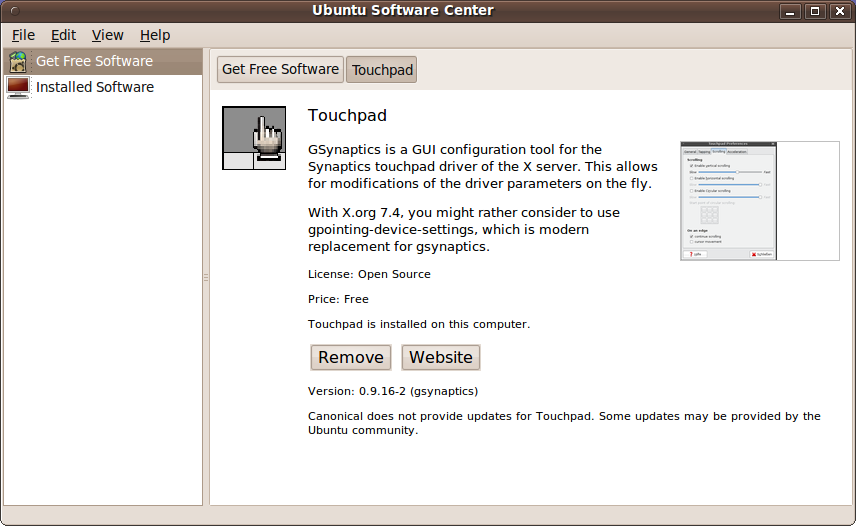
  1. Applications -> Ubuntu Software Center
  2. Search for Touchpad
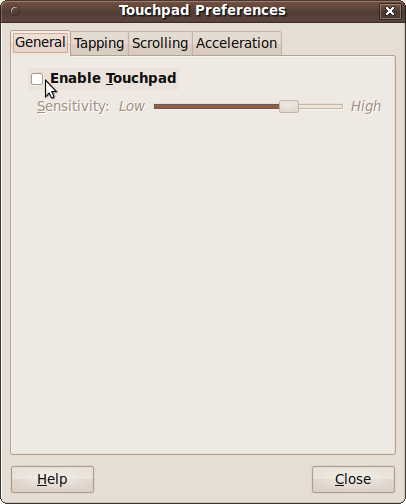
  3. System -> Preferences -> Touchpad
  4. Untick “Enable Touchpad”
Unknown's avatar

About Ahmed Tawfik

Cybersecurity Professional, Systems Engineer, OSS & Linux Geek
This entry was posted in Uncategorized and tagged , . Bookmark the permalink.

1 Response to Disable a Laptop’s Touchpad in Ubuntu Karmic (and later as I well I guess)

  1. It is also called "gsynaptics"

    Like

Leave a reply to Mohammed Hewedy Cancel reply