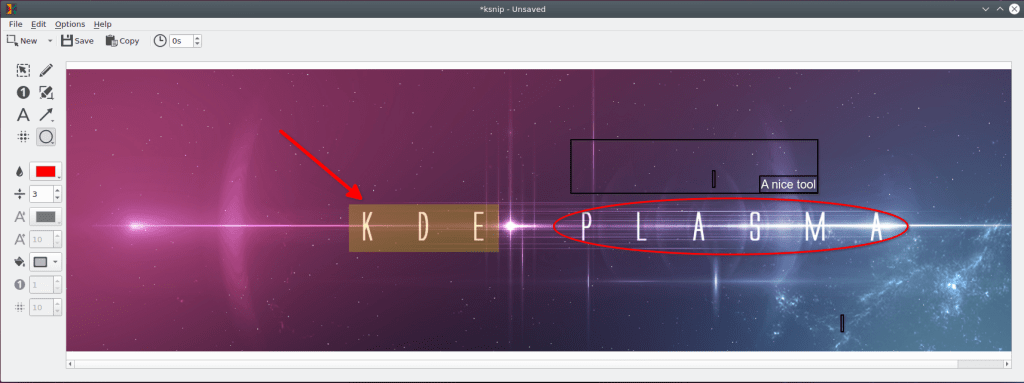
A cute little screenshot and annotation tool on Linux

A very handy screenshot tool that works very well on my KDE plasma desktop on Ubuntu 19.10 is ksnip, which you can get from here: https://github.com/damirporobic/ksnip

Just download and install the deb file and that’s it!

Enjoy!

Posted in Linux | Tagged , , , | Leave a comment

Restart network manager indicator in KDE Plasma Desktop

sudo service NetworkManager restart

Note: This is specifically for the network icon in the system tray and is different from the network-manager service which controls the whole Linux network manager:

Tested on Ubuntu 19.10 with KDE Plasma 5.16.5

Source: https://bbs.archlinux.org/viewtopic.php?id=200935

Posted in Linux | Tagged , , | Leave a comment

Copy with rsync over ssh

From remote server to local one:

rsync -avzhe ssh remote_user@REMOTE_IP:/remote_folder_or_file /local_destination_folder_or_file

From local server to remote one:

rsync -avzhe ssh local_folder_or_file remote_user@REMOTE_IP:/remote_destination_folder_or_file

That’s it, Enjoy!

Sources:

https://www.tecmint.com/rsync-local-remote-file-synchronization-commands/

Posted in Linux | Tagged , , | Leave a comment

Build Synergy in Ubuntu 19.04

Synergy software, which shares your keyboard and mouse to multiple computers through the network, is no longer available in the Ubuntu 19.04 repos, so the only remaining option is to build it from source:

sudo apt install qtcreator qtbase5-dev cmake make g++ xorg-dev libssl-dev libx11-dev libsodium-dev libgl1-mesa-glx libegl1-mesa libcurl4-openssl-dev libavahi-compat-libdnssd-dev qtdeclarative5-dev libqt5svg5-dev libsystemd-dev git build-essential
git clone https://github.com/symless/synergy-core.git
cd synergy
mkdir build
cd build
cmake ..
make
sudo make install

That’s it, Enjoy!

Note: After starting Synergy, you don’t have to enter the serial to get basic functionality, just cancel and you are good to go.

Source: https://github.com/symless/synergy-core/wiki/Compiling

Posted in Linux, Ubuntu | Tagged , | 2 Comments

Fix icon and text size for hidpi displays on login screen in KDE on Ubuntu 19.04

Just create/edit the file /etc/sddm.conf and add the following:

[X11]
EnableHiDPI=true
ServerArguments=-nolisten tcp -dpi 192

Reboot, and you’re good to go, Enjoy!

Sources: https://www.reddit.com/r/kde/comments/amybg5/login_screen_on_hidpi_4k_screen/

Posted in Linux | Tagged , , | 2 Comments