A tiny script to replace all occurrences of a string in a file with another string

sed -i 's/original/new/g' filename.txt

This basically replaces every occurrence of the “original” string with the “new” string in the file named “filename.txt”

e.g.

sed -i 's/192.168.0.1/192.168.1.1/g' /etc/fstab

Will replace all occurrences of the IP “192.168.0.1” with the IP “192.168.1.1” in the “/etc/fstab” file.

That’s it, Enjoy!

Sources: 

Posted in Linux | Tagged , , , | 1 Comment

My favorite drop-down terminal for Linux

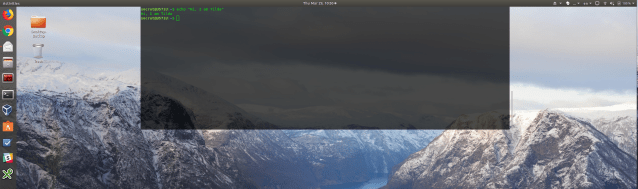
It’s Tilda! My previous best was Guake, but it’s having compatibility issues and not maintained frequently like this one.

sudo apt install tilda

Very customizable and has a lot of options, including position, colors, scroll bars and transparency.

Tested on Ubuntu 17.10 (Works ONLY on Xorg, not Wayland).

Screenshot from 2018-03-29 10-30-17

Tilda on Ubuntu 17.10

Posted in Linux | Tagged , , , , , , | 1 Comment

How to connect to your MS Exchange Account (Mail, Contacts, Calendar…etc) from Linux

Just go to Online Accounts -> Microsoft Exchange -> Type your e-mail and password!

Screenshot from 2018-03-28 09-36-37

This basically connects using Exchange Web Services (EWS).

If this doesn’t work out with you, click on custom and enter your username and server. I had to do that in my case, since my mail server’s address was different from the mail address.

That’s it! Enjoy! Here are some screenshots showing the results :))

Screenshot from 2018-03-28 09-51-42

Evolution Contacts

Screenshot from 2018-03-28 09-47-12

Evolution Calendar

Screenshot from 2018-03-28 09-43-46

Evolution Mail

Note: Tested and worked perfectly in Ubuntu 17.10 (Gnome 3.26).

Sources:

Posted in Linux | Tagged , , , , , , , , , , | Leave a comment

How to cut video and audio without re-encoding using ffmpeg

ffmpeg -i source_video.mp4 -t 50 -c copy output_video.mp4

This cuts the first 50 seconds of the video named source_video.mp4 and outputs them without any re-encoding to output_video.mp4

Another example for audio files:

ffmpeg -i input_file.mp3 -ss 00:00:05 -t 00:00:21 -c copy output_file.mp3

This cuts the audio file from the 5th second to the 21st second and places it in a file named output_file.mp3, no re-encoding done whatsoever.

Source: https://ubuntuforums.org/showthread.php?t=2027333


Posted in Linux | Tagged , , , | 1 Comment

Benchmarking SanDisk Extreme PRO USB Drive

Just received a 128 GB SanDisk Extreme PRO USB 3.1 Solid State Flash Drive. I wanted to check whether its speed really matches what’s advertised of up to 420 MB/s for read and 380 MB/s for write.

Benchmark Details

Computer Used: Lenovo Thinkpad X1 Carbon

OS: Ubuntu 16.04.3

Benchmark Tool: Standard Gnome Disks Utility

Features Tested: Read Speed, Write Speed and Random Access

Testing Samples:

  • 100 samples, 100 MB each for read and write tests
  • 1000 samples for access time

Workspace 1_786.png

Results

Average Read Rate: 423 MB/s

Average Write Rate: 188 MB/s

Conclusion

The SanDisk Extreme PRO USB Drive Read speed is 420 MB/s as advertised, however, the write speed is much lower than the promised 380 MB/s. It’s a quite fast USB drive, especially for read, but the write speed is about half what SanDisk claims (although still very fast for a USB drive).

 

Posted in Bechmark, Linux | Tagged , , | Leave a comment