
I needed to add a web search functionality to my models in LM Studio, so I simply had to add the Tavily MCP Server configuration to LM studio, along with my API key of course.
You simply click on Edit msp.json after clicking + Install on the top right-hand side:
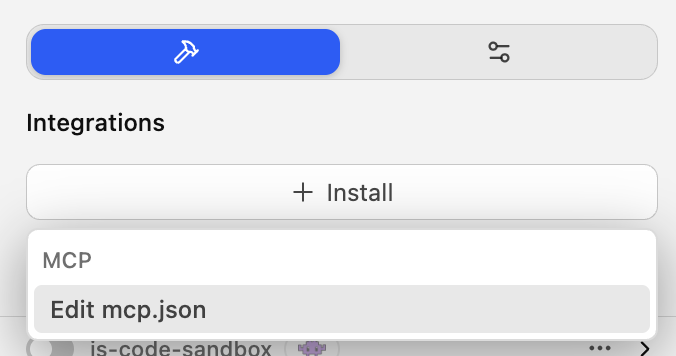
then replace the values there with the following:
{ "mcpServers": { "tavily-remote": { "command": "npx", "args": [ "-y", "mcp-remote", "https://mcp.tavily.com/mcp/?tavilyApiKey=tvly-prod-THE_REST_OF_YOUR_API_KEY" ] } }}
Click on Save and you are good to go!
Don’t forget to enable it :), Enjoy!
Source:


