
Here are the shortcuts that were of utmost importance to get me productive with KSH:
“stty erase ^?” to remove the ‘^?’ symbol when the backspace key is pressed.
“Ctrl-p” shows the previous command that you typed, pressing several time will get you sequentially to older commands
“Ctrl-n” shows the next command in case you used “Ctrl-p”, i.e. navigates forward
“Ctrl-b” moves the cursor back one character
“Ctrl-f” moves the cursor forward one character
Here is a screenshot of a table that contains most of the shortcuts
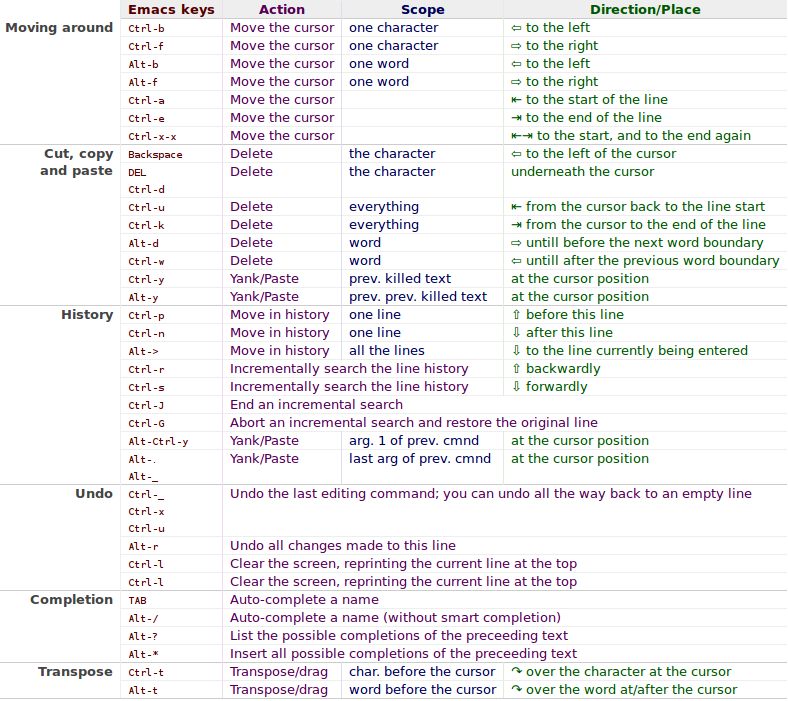
Note: Not all of them work, like the reverse search, have no idea why yet.


 Just Some Techie Notes!